ARK has always been one of those games that consumes idle time. Whether you’re still playing the original Survival Evolved or have moved on to the visually stunning upgrade, ARK: Survival Ascended, the gameplay loop of taming dinosaurs and building bases is quite compelling. However, anyone who has played on official public servers understands the difficulty—overcrowded regions, pillar spam impeding development, and unexpected server wipes may all ruin the experience.
This is where having your own private server comes in. It allows you complete control over the rules, pricing, and who can play. However, hosting ARK, particularly the current version, necessitates substantial hardware. Today, we’ll look at the ARK server hosting environment, with a focus on one of the most popular providers: Apex Hosting. We’ll see if they’re a suitable fit for the demands of ARK, look at the realities of “free” hosting choices, and go over how to get started.
Key Highlights:
- Performance Demands: ARK: Survival Ascended requires significantly more server resources than its predecessor.
- Apex Hosting’s Approach: They offer tiered RAM plans suitable for both versions of the game.
- The “Free” Reality: True ARK server hosting free of charge is extremely limited or requires self-hosting.
- Ease of Use: Apex Hosting focuses on simplified control panels for settings and mods.
- Getting Started: Renting and joining a server is a straightforward process.
Is Apex Hosting good for Ark? Focusing on Apex Hosting ARK Ascended
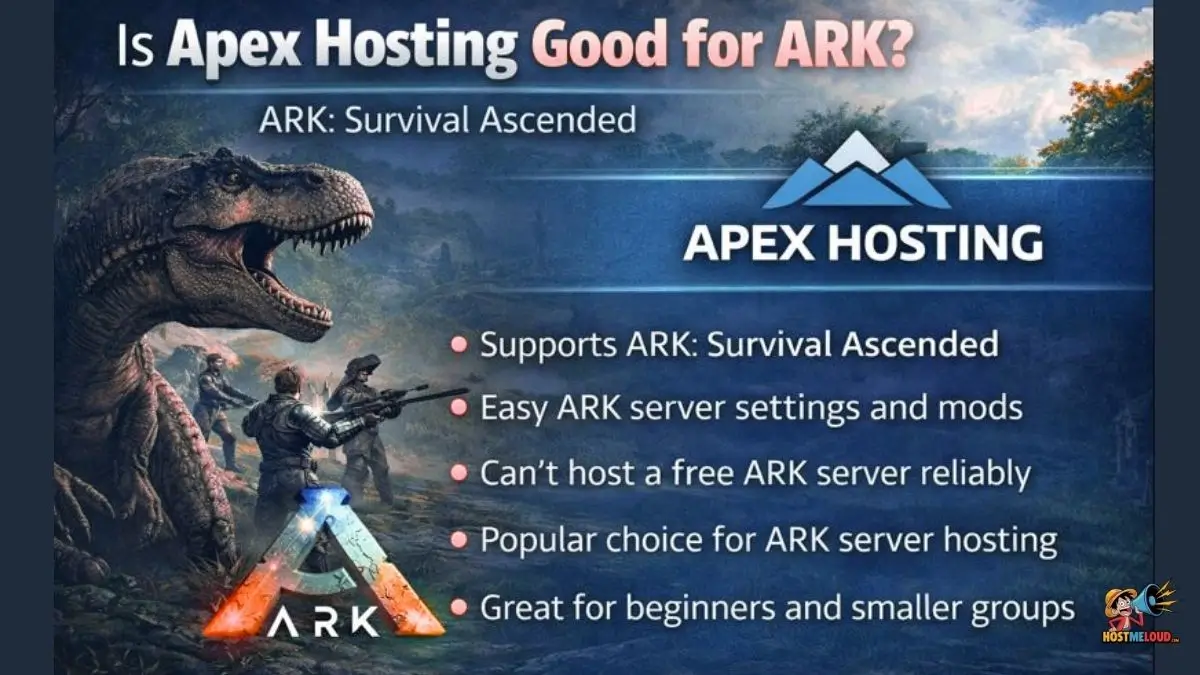
The short answer is yes, Apex Hosting is generally considered a very strong choice for ARK. But it’s important to understand why, especially when dealing with the newer version of the game.
ARK is notoriously resource-intensive. It consumes RAM heavily and needs a CPU with strong single-core performance to keep the game ticking smoothly. If the server hardware is weak, you will experience “rubber-banding” (lag that snaps you back into place) and slow dinosaur responses.
Apex Hosting employs enterprise-grade technology, including contemporary CPUs and fast NVMe SSDs, which greatly improves global loading times. For the original game, their usual designs work perfectly.
Apex Hosting ARK Ascended has higher needs. The latest Unreal Engine 5 version is stunning yet taxing. Apex Hosting has updated its services to include plans with adequate RAM to operate Ascended without constantly crashing. They also offer 24/7 help from professionals versed in ARK-specific difficulties, which is useful because ARK servers can be finicky after game upgrades.
The reality of ARK server hosting free options
A very common question new players ask is: “Can I get ARK server hosting free?”
If you are looking for a professional hosting provider that gives you a powerful 24/7 server for zero dollars, the answer is generally no. Servers cost electricity, hardware, and maintenance. Some hosts might offer a very short trial period—sometimes people search for “Apex hosting ark free trial”—but these are usually very limited, lasting maybe 24 hours just to test ping.
There is another avenue for ARK: Survival Ascended server hosting free of monthly costs: self-hosting. This means running the server software on your own home computer. While “free” in terms of a subscription, it costs you in other ways.
Self-hosting, especially for Ascended, requires a very powerful PC with a lot of spare RAM (at least 16GB just for the server is recommended) and a strong CPU. You also need a fast, stable internet upload speed, and you must be comfortable with networking tasks like port forwarding on your router. If you turn your PC off, the server goes offline for everyone. For most people, renting a server is cleaner and easier.
What is the best ark server hosting available today?
Defining the “best” ARK: Survival Ascended server hosting depends on what you value most: raw performance, price, or ease of use.
If cost is your primary consideration, there are cheaper hosts than Apex, but you frequently compromise support quality or hardware speed. If money is not an issue and you require an enterprise-level dedicated computer for 100 players, other specialized business hosts may be preferable.
However, for the vast majority of players looking to host a server for friends or a medium-sized community, the “best” host balances power and usability. You want a host that offers:
- High RAM allocations: Crucial for ARK.
- Low latency: Server locations near you and your players.
- DDoS protection: To keep your server safe from attacks.
- Automated backups: Because ARK saves can sometimes corrupt.
Apex Hosting generally ranks highly because it hits a sweet spot in this balance. It’s reliable, powerful enough for Ascended, and exceptionally user-friendly for beginners.
Managing Your Server: Apex Hosting ARK server settings and Mods
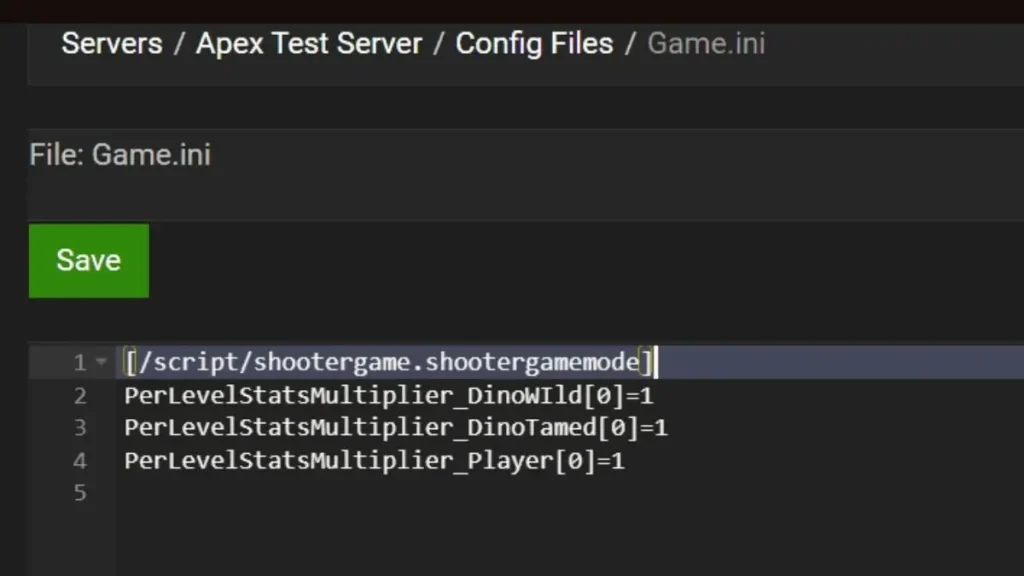
A major reason people choose managed hosting like Apex is the control panel. You don’t want to spend your time staring at code lines in a config file.
Apex uses a customized version of the Multicraft control panel. It simplifies changing Apex Hosting ARK server settings. Things like increasing taming speed, harvesting rates, or difficulty levels can usually be done via simple dropdown menus or text fields in the panel, rather than editing complex .ini files manually (though you can still do that if you want to).
The same applies to content. Modding ARK massively extends its lifespan. Managing Apex Hosting ARK mods is designed to be relatively painless. For Steam Workshop mods on the original game, it’s often as easy as pasting the mod IDs into the panel, and the server automatically downloads and installs them upon restart. They are also integrating systems to handle the cross-platform modding curseforge system used by ARK: Survival Ascended.
How to join Apex Hosting ark server?
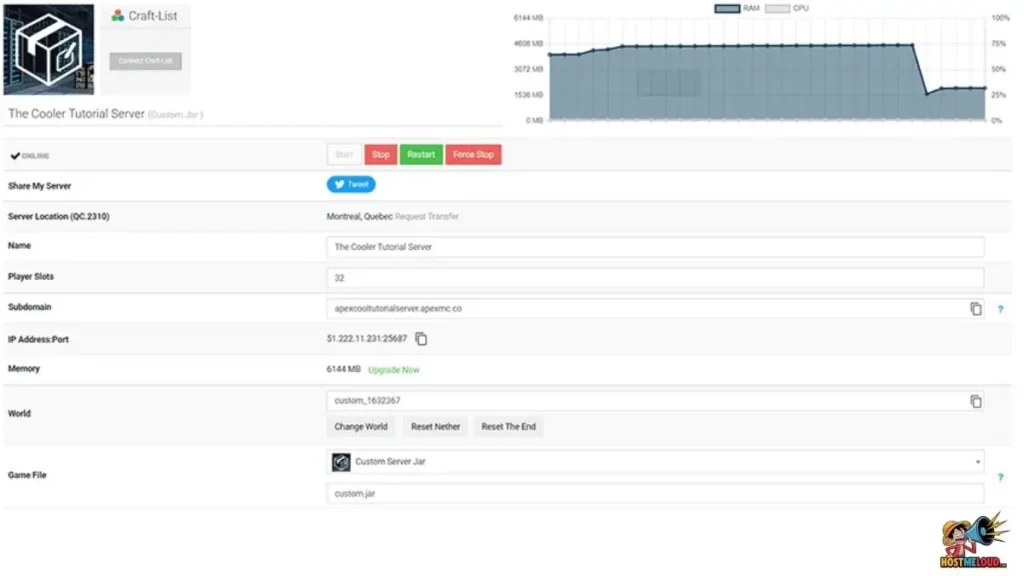
Once you have rented your server, actually getting into the game is simple.
- Get your IP: Go to your Apex Hosting control panel. On the main page, you will see your server’s IP address and Port number (e.g., 192.168.1.1:27015). Copy this.
- Launch ARK: Open the game on your PC or console.
- Open Server Browser: Go to “Join Ark”.
- Filter for Unofficial: Make sure your session filter is set to “Unofficial” or “Favorites” depending on the game version.
- Direct Connect (PC): Often the easiest way on PC is to open the console (usually the tab key) and type
open [your IP address:port]. Alternatively, in Steam, you can go to View -> Servers -> Favorites tab -> Add a Server, and paste your IP there. It should then show up in your in-game favorites.
Pricing and Availability
Apex Hosting plans are generally priced based on the amount of RAM you select.
- Availability: Servers are available instantly upon purchase. Apex has data centers across North America, Europe, Australia, and Asia, allowing you to choose a location close to you for better ping.
- Pricing Tiers: While prices are subject to change, plans typically start around $15-$20 per month for smaller servers suitable for a few friends on the older game.
- For ARK: Survival Ascended: Because the new game is so demanding, it is highly recommended to choose plans with at least 8GB to 10GB of RAM, which will naturally cost more than the entry-level tiers.
How to Buy/Rent an ARK Server on Apex Hosting
Renting a server takes just a few minutes.
- Navigate to the Apex Hosting website and select ARK from their game list.
- Choose between ARK: Survival Evolved or ARK: Survival Ascended.
- Select a RAM package. Apex usually highlights a “recommended” tier for ARK. Don’t under-spec your server if you plan on having many players or mods.
- Choose your server location (pick the closest city to you).
- Complete the checkout process.
- Check your email for login details to your new control panel. Your server will usually begin installing immediately.
Frequently Asked Questions (FAQs)
1. How much RAM do I really need for ARK: Survival Ascended?
While the base game might start on lower amounts, for a smooth experience without crashes, 10GB of RAM or more is highly recommended for Ascended, especially as you build more structures and tame more dinos.
2. Can I switch my server from “Evolved” to “Ascended” later?
Yes, Apex Hosting allows you to switch the “Game Jar” in their panel at any time. However, your save files are not compatible between the two versions. You would be starting a fresh world.
3. Do Apex ARK servers support crossplay?
For ARK: Survival Ascended, yes. Crossplay between PC, Xbox, and PlayStation is a core feature of the new game, and Apex servers support this. The older Survival Evolved has much more limited crossplay options (usually only between Xbox and the Windows 10 Store version).
4. Why is my “free” self-hosted server so laggy?
ARK cares deeply about single-core CPU speed and fast storage. If you are running the server on an older laptop or a PC with a standard hard drive while trying to play the game on the same machine, your hardware is likely being overwhelmed.
5. Are backups included with Apex Hosting?
Yes, they generally include automated off-site backups. This is critical for ARK, as game updates or bad mods can sometimes corrupt save files, requiring a rollback to a previous state.
Conclusion
Selecting the appropriate server host is the first step toward a stress-free ARK experience. While the appeal of free ARK server hosting choices is powerful, most groups find that renting a professional server is the best option due to technical challenges and hardware requirements. Apex Hosting continues to establish itself as a dependable, high-performance alternative in 2024, providing the power required to run ARK: Survival Ascended while making server control available to all.